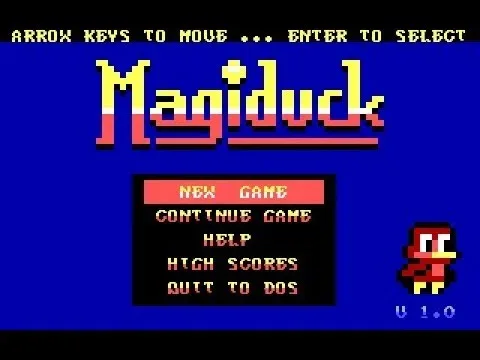
Game screenshot (cover not found): LaunchBox Games DB
Try playing
ControlsArrows moveEnter selectSpace actionEsc menu / backCtrl fire
The game runs in a DOS emulator: keyboard and mouse work like on an old PC, each game has its own layout (see the hints in the game). There are no on-screen buttons on a phone.
First click the game screen once: after that the keys go to the game, not the page. To scroll the page again, click outside the game window. If the game does not respond, click the game screen again.
The game runs from the Internet Archive site in their emulator; there are no game files on our servers. We show it so you can get to know it; the rights to the game belong to the rights holders. The built-in player has no volume control: if there is no sound or you need to adjust it, open the game page on Internet Archive, which has sound and full-screen buttons. Game page on Internet Archive.
MagiDuck
MS-DOS · 2015
RateSpecs
- Developer
- Toni Svenström
- Publisher
- no data
- First release
- 2015
- Platform
- MS-DOS
- Rarity
- no data
Why
There’s no units produced with a source and not enough listings. We don’t make things up.
Description
MagiDuck is a simple platform-game designed to work on 8088/8086 class computers (the first IBM PC:s) with a CGA-compatible display adapter. It runs in a tweaked 40x25 text mode, giving the game a pseudo-pixel resolution of 80x50 with 16 colours and text combined from 2 half height Ascii-characters.
Source: IGDBWhere to check prices and buy
 eBay
 Amazon
 Kleinanzeigen↗
 Vinted↗
 OLX Poland↗
 Allegro↗
 willhaben↗
 Catawiki↗
 Marktplaats↗
 OLX Ukraine↗
 Rozetka↗
 Prom.ua↗
 Hotline↗
The links open search results for MagiDuck MS-DOS in shops and classified sites. We sell nothing and are not responsible for sellers: check the model and code.
Reviews and ratings
No reviews yet. Leave the first one: a rating and a few words help others choosing or evaluating the find.
Write a review
Reviews are published instantly. We remove violations upon report.