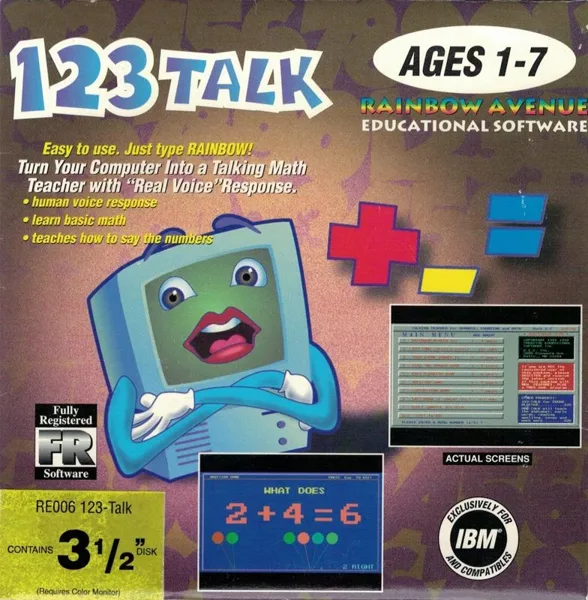
Обложка: LaunchBox Games DB
Попробовать сыграть
УправлениеСтрелки движениеEnter выборПробел действиеEsc меню / назадCtrl огонь
Игра идёт в эмуляторе DOS: клавиатура и мышь работают как на старом компьютере, раскладка у каждой игры своя (смотрите подсказки в самой игре). На телефоне экранных кнопок нет.
Сначала один раз нажмите на экран игры: после этого клавиши идут в игру, а не в страницу. Чтобы снова листать страницу, нажмите мышкой за пределами окна игры. Если игра не отвечает, нажмите на экран ещё раз.
Игра запускается с сайта Internet Archive в их эмуляторе, на наших серверах файлов игры нет. Мы показываем её для знакомства, права на игру принадлежат правообладателям. У встроенного плеера нет регулятора громкости: если звука нет или нужна настройка, откройте страницу игры на Internet Archive, там есть кнопки звука и полного экрана. Страница игры на Internet Archive.
123 Talk
MS-DOS · 1993 · Creative Educational Software
ОценитьХарактеристики
- Разработчик
- Creative Educational Software
- Издатель
- Creative Educational Software
- Первый выпуск
- 1993
- Платформа
- MS-DOS
- Редкость
- нет данных
Почему
Нет ни тиража с источником, ни достаточно объявлений. Не придумываем.
Описание
123-Talk is a shareware, single-player, package of educational games whose distinguishing feature is that it provides audio feedback and encouragement to the pupil. Note: The audio is horrifying.
Читать дальше
The package consists of the following mini games: * Keyboard Banger 123: When it starts the game paints a pattern on screen using a digit in multiple colours, When the child hits the keyboard the digit is displayed centre screen and the game says 'Try saying this number .......', then the pattern is wiped and a new one is drawn using a new digit. * 123 Song: The numbers one to twenty are shown on screen and a child sings them in sequence. * Your Phone Number Is: This displays a phone number enunciating each digit so that the pupil learns to say the number and to recognise it. * Find the Number Game: The game displays a digit on screen and asks the pupil to find that number on the keyboard. * Easy Counting Game: The game displays coloured balloons on the screen and asks the pupil 'How Many Balloons?' The pupil answers by pressing the appropriate number on the keyboard and the game asks the same question of a different number of balloons. * Addition Game: The game asks simple sums such as 'What does 3 + 2 make?' The pupil is aided by the display of two groups of balloons, three in one and two in the other. They answer and the game moves on to another question. * Subtraction Game: The same as the Addition Game but these are take-away sums. * Easy Draw II: This is purely for fun. The game area becomes a blackboard and the player can draw on it by holding down the left mouse button and moving the mouse. The right mouse button changes the colour of the chalk. All games are played with the mouse. There are simple sound effects and lots of a very supportive, very American lady's voice.
Где посмотреть цены и купить
 OLX Украина↗
 Rozetka↗
 Prom.ua↗
 Hotline↗
 eBay
 Amazon
 Kleinanzeigen↗
 Vinted↗
 OLX Польша↗
 Allegro↗
 willhaben↗
 Catawiki↗
 Marktplaats↗
Ссылки ведут на результаты поиска 123 Talk MS-DOS в магазинах и на площадках объявлений. Мы ничего не продаём и не отвечаем за продавцов: сверяйте модель и код.
Другие игры
MS-DOS, 1993
Ещё от Creative Educational Software
Отзывы и оценки
Отзывов пока нет. Оставьте первый: оценка и пара слов помогают тем, кто выбирает или оценивает находку.
Написать отзыв
Отзывы публикуются сразу. Нарушения удаляем по жалобе.