Обкладинка: LaunchBox Games DB
Спробувати зіграти
КеруванняСтрілки рухEnter вибірПробіл діяEsc меню / назадCtrl вогонь
Гра йде в емуляторі DOS: клавіатура і миша працюють як на старому комп’ютері, розкладка у кожної гри своя (дивіться підказки в самій грі). На телефоні екранних кнопок немає.
Спочатку один раз натисніть на екран гри: після цього клавіші йдуть у гру, а не на сторінку. Щоб знову гортати сторінку, натисніть мишкою поза вікном гри. Якщо гра не відповідає, натисніть на екран ще раз.
Гра запускається з сайту Internet Archive в їхньому емуляторі, на наших серверах файлів гри немає. Ми показуємо її для знайомства, права на гру належать правовласникам. У вбудованого плеєра немає регулятора гучності: якщо звуку немає або потрібне налаштування, відкрийте сторінку гри на Internet Archive, там є кнопки звуку і повного екрана. Сторінка гри на Internet Archive.
123 Talk
MS-DOS · 1993 · Creative Educational Software
ОцінитиХарактеристики
- Розробник
- Creative Educational Software
- Видавець
- Creative Educational Software
- Перший випуск
- 1993
- Платформа
- MS-DOS
- Рідкість
- немає даних
Чому
Немає ні накладу з джерелом, ні достатньо оголошень. Не вигадуємо.
Опис
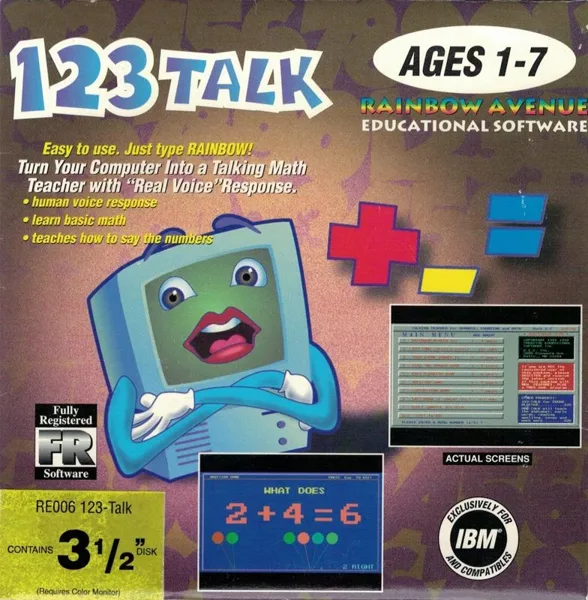
123-Talk is a shareware, single-player, package of educational games whose distinguishing feature is that it provides audio feedback and encouragement to the pupil. Note: The audio is horrifying.
Читати далі
The package consists of the following mini games: * Keyboard Banger 123: When it starts the game paints a pattern on screen using a digit in multiple colours, When the child hits the keyboard the digit is displayed centre screen and the game says 'Try saying this number .......', then the pattern is wiped and a new one is drawn using a new digit. * 123 Song: The numbers one to twenty are shown on screen and a child sings them in sequence. * Your Phone Number Is: This displays a phone number enunciating each digit so that the pupil learns to say the number and to recognise it. * Find the Number Game: The game displays a digit on screen and asks the pupil to find that number on the keyboard. * Easy Counting Game: The game displays coloured balloons on the screen and asks the pupil 'How Many Balloons?' The pupil answers by pressing the appropriate number on the keyboard and the game asks the same question of a different number of balloons. * Addition Game: The game asks simple sums such as 'What does 3 + 2 make?' The pupil is aided by the display of two groups of balloons, three in one and two in the other. They answer and the game moves on to another question. * Subtraction Game: The same as the Addition Game but these are take-away sums. * Easy Draw II: This is purely for fun. The game area becomes a blackboard and the player can draw on it by holding down the left mouse button and moving the mouse. The right mouse button changes the colour of the chalk. All games are played with the mouse. There are simple sound effects and lots of a very supportive, very American lady's voice.
Де подивитися ціни та купити
 OLX Україна↗
 Rozetka↗
 Prom.ua↗
 Hotline↗
 eBay
 Amazon
 Kleinanzeigen↗
 Vinted↗
 OLX Польща↗
 Allegro↗
 willhaben↗
 Catawiki↗
 Marktplaats↗
Посилання ведуть на результати пошуку 123 Talk MS-DOS у магазинах і на майданчиках оголошень. Ми нічого не продаємо і не відповідаємо за продавців: звіряйте модель і код.
Інші ігри
MS-DOS, 1993
Ще від Creative Educational Software
Відгуки та оцінки
Відгуків поки немає. Залиште перший: оцінка та пара слів допомагають тим, хто вибирає або оцінює знахідку.
Написати відгук
Відгуки публікуються одразу. Порушення видаляємо за скаргою.